Channels
A blog,
nine social accounts,and one queue
to watch them on.
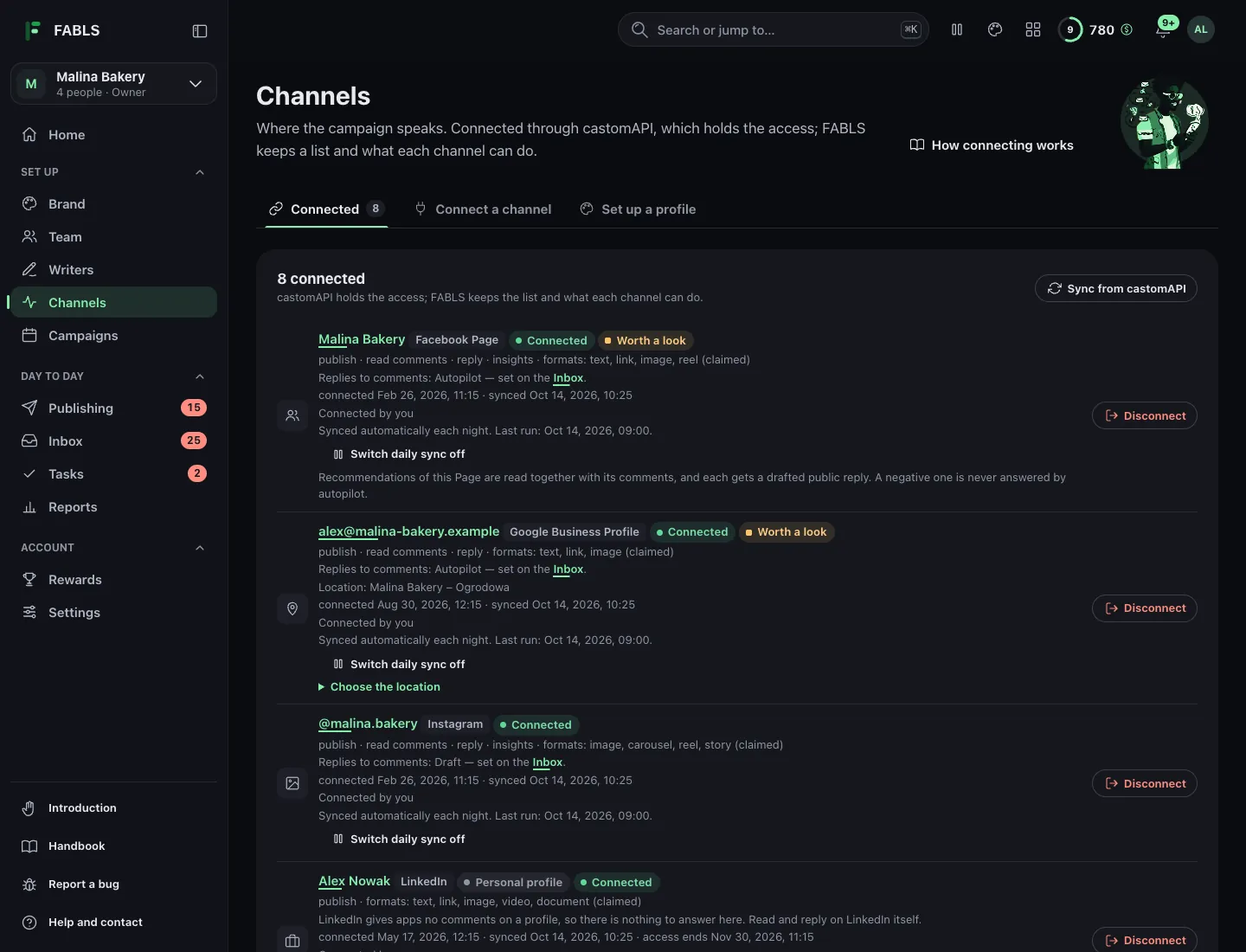
WordPress, a Facebook Page, an Instagram business account, TikTok, an X account, LinkedIn, Pinterest, Threads, YouTube and a Google Business Profile — each connected through castomAPI, each with its own approval switch and its own share of the plan. The publishing queue shows all of it: waiting for approval, going out, didn't go out, published. Ads sit beside them for paid reach: campaigns and boosts on your own ad accounts, not more channels.

WordPress — the blog
Connected through the castomo plugin on your own site. FABLS publishes articles at the slot's time, as live posts, drafts or scheduled posts, each with a featured picture you uploaded or linked to, its categories and its internal links. The comments your site has approved come back to the inbox, the ones held for moderation are listed and can be approved, marked spam or trashed from there, and the plugin counts the page views.
The blog is the channel that keeps working after you stop looking at it. A post from March is still being found in November, which is the opposite of how a caption behaves, and it is why the blog usually deserves a bigger share of the plan than its posting frequency suggests. The blog track in detail.
Facebook — the Page
Your Page, your permissions. FABLS publishes a text post, a link, pictures or a reel: short posts, practical notices, the things a local audience checks before they get in the car: opening hours, a change of plan, what is on this week.
Everything people write comes back: comments under any post on the Page, FABLS's or not, Messenger conversations, and the recommendations the Page receives, each with a reply drafted. A comment can be hidden or deleted from the inbox, and a post that is live can be boosted as a Meta ad on your own ad account.
Instagram — the account
A business account. FABLS publishes one picture, a carousel of two to ten pictures, a reel or a story. Comments under any post, tags in other people's posts and direct messages come back to the inbox, and a comment can be hidden or deleted.
The pictures are yours, or drawn from an idea in your brand's colours when a post has none — and your own bad photograph of your own counter still beats a good photograph of somebody else's. A post that is live can be boosted.
TikTok — video
A TikTok account, for video. It connects through castomAPI with your own key, the same way as the other channels. FABLS drafts the caption, it is approved like any other, and FABLS posts the video at the slot's time. The comments under it come back to the inbox, and the report counts its views, likes, comments and shares.
The video is yours: you upload it in the app once, and FABLS publishes it from there.
X — the account
You connect X with your own X developer app: an API key, an API key secret, an access token and an access token secret, four values from developer.x.com, made in your own developer project with Read and Write permission. castomAPI checks them and seals them; FABLS passes them on once and never stores them. There is no X consent screen. The API access, quota and credits are those of your own X developer account, never ours.
FABLS publishes a post of up to 280 characters, with links, up to four pictures or one GIF, a thread of several posts, or a poll with two to four options that stays open for up to seven days. You also choose who can reply, and a published post can be deleted. X has no publish-later of its own, so FABLS keeps the schedule itself: an approved post waits in FABLS and goes out at the slot's time.
Mentions of the account and the replies under your posts come back to the inbox, and so do direct messages once a person has switched them on. A reply can be hidden and an author blocked. The report shows the public numbers X gives; a number X does not give is shown as missing, never as zero. FABLS does not upload video to X.
LinkedIn — your profile and your Page
You authorise on LinkedIn itself, through castomAPI's dashboard: FABLS sends you there, you approve, then you return to FABLS and press "I have connected it". FABLS publishes to your personal profile and to your company Page: a post of up to 3,000 characters with one picture, one MP4 video or one PDF of up to 15 MB. You choose who sees it — the public, your connections or signed-in LinkedIn members — whether to keep it as a LinkedIn draft or publish it, and whether it can be reshared. A draft can be published later, the text of a published post can be edited, and a post can be deleted.
Like X, LinkedIn is scheduled by FABLS itself: an approved post waits in FABLS and goes out at the slot's time. A company Page also brings its comments back to the inbox and its numbers into the report. A personal profile gives this kind of app neither.
Pinterest — the boards
You give consent on Pinterest through castomAPI, on your own key, and choose the board FABLS publishes to; a single post can override it, and a post with no board is refused before anything is sent. FABLS publishes one picture Pin: a title of up to 100 characters, a description with its hashtags of up to 800, alt text, and the link in the Pin's own link field, at the slot's time. It can also make the boards your profile kit names.
One call makes a Pin public, so if the answer is lost FABLS does not post again: a person confirms what happened. There are no video or carousel Pins, no comments, no numbers for single Pins, no Pin take-down from FABLS, and no Pinterest ads. Pinterest in detail.
Threads — the conversation
FABLS publishes text, picture, video and carousel posts of up to 500 characters, with one topic tag in place of a row of hashtags. The replies under your posts come back to the inbox with a reply drafted, a reply can be hidden, and the report counts views, likes, replies and reposts. Threads in detail.
YouTube — the channel
FABLS uploads a video at the slot's time with its title, description and tags, posts the first comment, and reads and answers every comment on the channel. A comment can be held for review or its author banned. The report counts views, likes and comments for each video. YouTube in detail.
Google Business Profile — the listing
FABLS publishes local posts, "What's new" on your listing in Search and Maps, with one picture and a button to your site, and brings the reviews into the inbox with a reply drafted. A reply is public, under the business's name, so autopilot never answers a review of three stars or fewer. Google in detail.
The publishing queue
Every post on every channel, in one of four places: waiting for approval, going out, didn't go out, published. Reading your week there is the fastest way to notice that you have said the same thing twice or gone silent for nine days.
A post that didn't go out shows why, in the platform's own words. And a post that should not wait for its slot has "Publish now".
Set up a channel with AI: give FABLS your website, and it finds where your business already posts. Then you connect those channels with your own key.
What "your own key" means
FABLS publishes to Facebook Pages, Instagram accounts, TikTok, X accounts, LinkedIn profiles and Pages, Pinterest boards, Threads, YouTube channels, Google Business Profiles and WordPress sites through castomAPI, using a key minted for your account. The platform tokens sit with your key, not with us, and every post is made as you.
In practice that means three things. Your rate limits and your permissions apply, so nothing behaves differently from posting by hand. Revoking the key stops publishing, with no separate account to close. And there is no state where FABLS retains the ability to post to your Page after you have stopped using it.
The same key carries the AI tokens that drafting spends, so one thing is connected rather than ten.
Looking for new comments, messages and reviews is a castomAPI call too, on the wallet of whoever connected the channel — which is why FABLS looks once an hour, and more often for a new post, rather than checking all the time.
- WBlogApproval: on · Share: 20% · Writer: the editor
- fFacebookApproval: on · Share: 35% · Writer: Marek
- ◎InstagramApproval: autopilot · Share: 45% · Writer: Ola
- !Drafts onlyA channel FABLS writes for and never publishes to.
- ↩RepliesOff, draft or autopilot, per channel. Draft is the default.
Shares add to 100Autopilot is a manager's switch
Ads
Ads are not posts.
They get their own door.
Everything above publishes: a post is written, approved and put on a channel at a time. An ad is a different thing, a campaign on your own ad account with a budget that Google or Meta bills to you. So ads are not more channels in the publishing queue. A campaign or a boost starts paused, and nothing spends until an owner or a manager approves it.
It is bring-your-own more strictly than the others. The publishing channels connect through castomAPI with access that belongs to you — a key, or on X the keys of your own developer app. Google Ads needs three more things that belong to you: your Google Ads account, your own Google Ads developer token and your own Google Cloud OAuth client. The quota and the bill are yours alone, and castomo never funds an ad.
Meta ads, on Facebook and Instagram, are composed from a campaign or made by boosting a post that is already live. An ad account takes nothing from your plan's channel count. The Ads page has the setup guide, the costs and what the errors mean.
- ↗Publishing channelsPosts, planned in slots, drafted by writers, approved and published through castomAPI.
- GGoogle AdsA search campaign on your own Google Ads account. You pay Google.
- 1What you bringYour Google Ads account, developer token and OAuth client.
- !The gateA campaign starts paused. An owner or a manager approves it.
- MMeta adsA campaign, ad set and ad, or a boost of a live post. You pay Meta.
Posts go through the queueAds stay on your ad account
The blog, the Page and the Instagram.
One idea, three shapes.
Adding a channel is a trade
Because the shares add up to a hundred, connecting a fourth channel does not conjure a fourth channel's worth of effort — it takes it from the other three. That is deliberate. The alternative, which every tool in this category offers, is to quietly quadruple your approval queue and let you discover it in week three.
So the honest advice is to start with one. The free tier connects one channel for exactly this reason: get a month of a real plan running on the channel that matters most to you, find out what approving actually costs you in time, and then decide whether the second one earns its share.
What is not here: video on X, and WhatsApp, which is a separate business platform with its own charges for every conversation. If either is the one that matters to your business, we would rather you knew that on this page than after a month.
One account behind all of it
Signing in is a castomo account — the same one that opens dash-b, iKonekt, clickSomo and the rest of the family, and the same wallet pays for all of them. A writer adopted from dash-b arrives without a second sign-in.
You do not need any of that to use this. One WordPress site and a castomo account is a complete, working arrangement, and you never have to connect a second thing.
Pricing Reports